Freebie Invoice Estimate Maker
Simple Apps s.r.o.Business
4.8417.00 Reviews
- Version
- 26.7.10
- Installs
- 100.00K
- Age Rating
- Everyone
Screenshots
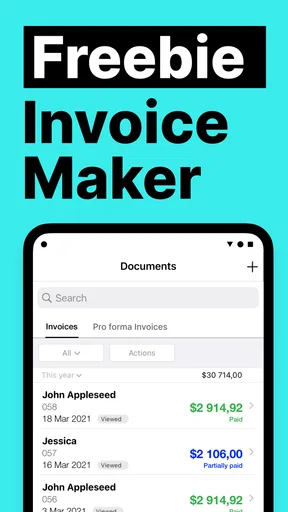
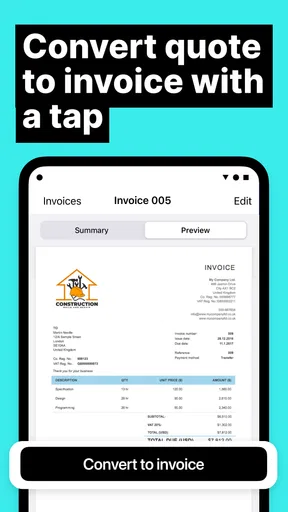
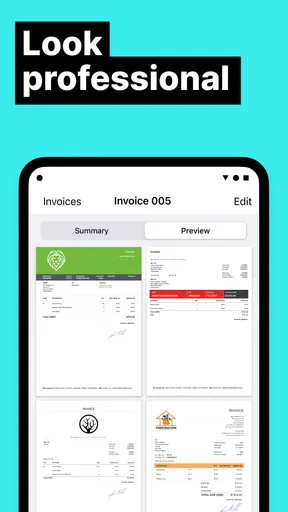
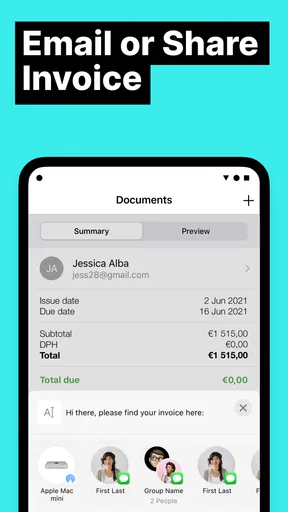

Our Review of Freebie Invoice Estimate Maker
 Analysis by Appyee
When I need to send an estimate between appointments or put an invoice together before I forget the details of a job, I want the process to feel lighter than opening a spreadsheet on my phone. Freebie Invoice Estimate Maker is aimed at that practical moment: it’s a free business app from Simple Apps s.r.o. for handling invoices and estimates while away from a desk. I see its main appeal in bringing routine paperwork closer to the work itself, rather than making invoicing feel like a separate project.
Quick paperwork, with realistic expectations
Speed matters most when a customer is waiting for a quote, but I’d judge this app by more than how quickly it opens. The useful question is whether I can keep client and job details straight, prepare a document, and review it before sending. A mobile invoice tool can shorten that path; it cannot make unclear pricing or missing job information disappear. I’d keep the agreed scope and rates nearby so the time saved in the app doesn’t get lost deciding what to charge.
The app’s focus is narrow in a helpful way: it is for estimates and invoices, not a replacement for every business system. That makes it a more natural fit for a sole trader or small service business than a large operation with separate teams, approval stages, and complex accounting workflows. The Google Play listing shows a 4.7 average from around 5,400 ratings and over 100,000 installs, which suggests that many Android users have found the basic idea useful; those figures aren’t a guarantee that it fits every working routine.
A better fit for some working days than others
I can picture using it after visiting a customer to measure a room or inspect a repair. Before leaving the site, I could capture the job details in an estimate while they are fresh, then check the description and amount carefully. If the customer accepts, that same organized process can help me prepare an invoice without rebuilding the paperwork from memory. The practical benefit is not just speed: it is reducing the chance that a small but important detail gets lost between the visit and the office.
For this kind of work, I’d create a simple routine: confirm the client’s details first, write a clear description of what the price covers, then review the finished document as if I were the customer receiving it. That last check is worth keeping even when the app makes document creation feel quick. A polished template can help an estimate look professional, but it cannot correct an ambiguous description or an incorrect amount.
How it compares with a spreadsheet or accounting suite
Compared with typing each document into a blank spreadsheet or word-processing file, a dedicated invoice app should make repeat jobs less fiddly by giving the paperwork a consistent home and format. That convenience matters when I send similar documents regularly. A spreadsheet may still be preferable if I need custom calculations, unusual layouts, or a process built around existing bookkeeping sheets. A full accounting platform is the better choice when invoicing is only one part of a broader need to reconcile accounts, manage tax workflows, or coordinate with a bookkeeper.
I would treat this app as a practical front end for everyday billing, not assume it replaces professional bookkeeping. Before relying on it for a particular business process, I’d check that the documents and record-keeping approach suit the way I need to report income and keep accounts. That distinction is especially important for anyone whose work involves formal approval or compliance requirements.
What to check before sending
A useful habit is to make the first document a test of your own workflow: check how you enter a client, whether the description reads clearly on the finished invoice or estimate, and how you find the document again later. For recurring work, consistent wording can save time and make the scope easier for clients to understand. I’d still tailor each description rather than reuse a vague line that could leave both sides unsure about what was included.
If you work with clients in several stages, keep estimates and invoices mentally distinct. An estimate describes proposed work and expected cost; an invoice requests payment for work or goods provided. The app’s combined focus makes it convenient to handle both, but the responsibility to choose the right document for the moment remains with me. That small pause can prevent a confusing exchange later.
Who should consider it—and who may want more
I’d consider it if I’m a freelancer, independent tradesperson, or small service provider who needs to prepare straightforward estimates and invoices away from a computer. It is less compelling if I send only an occasional invoice and already have a reliable template, or if I need inventory control, payroll, detailed accounting, or team permissions as part of the same system. In those cases, a spreadsheet or a larger business platform may be a better match, even if it takes more setup.
The app is free to install, with in-app purchases ranging from $5.99 to $199.99 per item. I’d begin with the free option and identify a specific limitation before considering a purchase, rather than paying in anticipation of features I may never use. The app is rated for Everyone and requires Android 7.0 or later; it was released on August 3, 2022, and its current version is 4.0.3. Those details are useful when checking whether an older Android device can run it, though compatibility alone doesn’t tell me how comfortably it will fit into my daily workload.
Getting Started
First things first, downloading and setting up the Freebie Invoice Estimate Maker is a breeze. It’s available for both Android and iOS, so no worries about compatibility. Once you’ve got it installed, the app welcomes you with a clean, intuitive interface that makes navigation a cinch. You don’t need to be a tech wizard to get this up and running.
Features That Stand Out
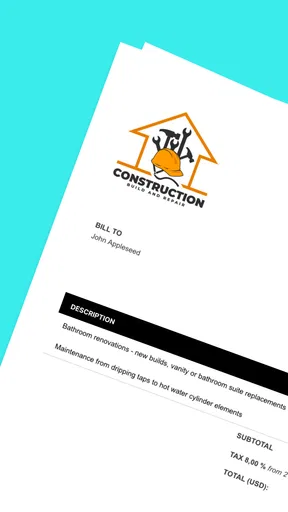
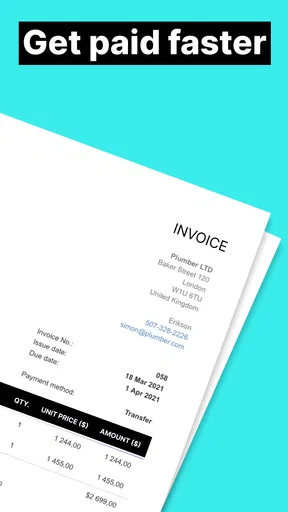
Now, let’s talk about what makes this app stand out from the crowd. One of the features I absolutely love is the customizable invoice templates. You can tweak them to fit your brand’s style, which adds a nice touch of professionalism. Plus, it saves you from the hassle of creating invoices from scratch every time.
Another cool aspect is the ability to manage multiple clients and projects seamlessly. The app allows you to store client info, track project progress, and keep everything organized in one place. It’s like having a personal assistant in your pocket!
Oh, and did I mention the real-time notifications? You’ll get alerts when clients view or pay an invoice, which is super handy for keeping track of payments without constant follow-ups.
User Experience
Using the app is as straightforward as it gets. The developers have clearly put a lot of thought into the user experience. The navigation is smooth, and you can create invoices or estimates in just a few taps. What’s more, the app doesn’t bombard you with ads, which is a huge plus in my book.
For those who love analytics, the app provides insightful reports that give you an overview of your financial status. It’s perfect for identifying trends and making informed decisions about your business.
Reliability during busy stretches
For a busy day, I’d use the client and project organization to keep jobs from blurring together, then rely on reports as a quick overview rather than a substitute for checking individual documents. If several customers need estimates at once, a repeatable routine—client details, scope, amount, final review—can help me stay consistent. The practical trade-off is that the app still depends on accurate information being entered; keeping a separate note of unusual job requirements can prevent a rushed document from omitting a key detail.
I’m cautious about treating any mobile tool as the only place to preserve essential business records. Before making it central to my workflow, I’d learn how I can retrieve the documents I need and keep any records required for my own accounting process. That’s not a knock on this app; it’s a sensible habit whenever client paperwork matters. If I were about to send a high-value or unusually detailed estimate, I’d take a moment to review it on a larger screen or against my original notes.
Device fit and everyday friction
A phone is convenient for entering information on-site, but long descriptions and repeated edits are usually easier on a larger display. The minimum Android requirement is 7.0, so owners of older devices should check that point before planning around the app. I wouldn’t assume that a supported device will feel equally comfortable for every task: a quick estimate is one thing, while reviewing a long list of line items on a small screen can be tiring.
On iOS, I’d check availability for my own device before installing, then try a small real task rather than moving all my billing over immediately. That first test is a low-risk way to see whether the controls, document layout, and day-to-day pace suit me. If an interruption happens while I’m preparing an invoice, I’d reopen the document and verify the details before sending; careful review is better than assuming every unsaved change has been retained.
Security and Support
In today’s world, security is a big deal, especially when it involves financial data. The app uses encryption to protect your information, ensuring that your data stays secure. It’s comforting to know that they’ve got your back here.
And if you ever hit a snag, the customer support is responsive and helpful. Whether you have a question about a feature or need assistance, they’re just a message away. It’s like having a direct line to a tech-savvy friend.
Pricing and Accessibility
While the basic version of the app is free, which is great for those just starting out, there are in-app purchases available for more advanced features. Whether you decide to stick with the free version or upgrade, there's something for everyone.
The app is designed to be accessible to users with varying levels of tech-savvy. Whether you’re a digital native or someone who’s just getting the hang of smartphones, you’ll find the app easy to use.
How I’d decide after trying it
My performance verdict is that this app’s value is less about demanding technical work and more about removing small delays from routine paperwork. The described workflow—creating documents in a few taps and keeping client and project information together—sounds best suited to short, focused sessions between jobs. I wouldn’t promise a particular loading speed or battery impact; instead, I’d judge it on my own phone with an ordinary estimate and invoice before trusting it for a full day’s billing.
That trial should answer the questions that matter in practice: can I prepare a clear document without fighting the interface, can I locate the right client and project when I’m in a hurry, and do the available reports give me the overview I actually need? If those answers are yes, the app may be a tidy fit for a small operation. If my work requires deeper accounting, extensive customization, or a desktop-first review process, I’d choose a broader tool rather than force a lightweight invoicing workflow to do more than it is meant to.
Final Thoughts
In conclusion, Freebie Invoice Estimate Maker is a solid choice for anyone looking to streamline their invoicing process. It’s packed with features that make managing finances simpler, and it does so without overcomplicating things. The app brings together functionality and ease of use in a way that’s genuinely impressive.
If you’re in the market for an invoicing app that won’t break the bank and offers a suite of useful features, give this one a shot. It might just become your new favorite business tool!
Verdict
Strengths of Freebie Invoice Estimate Maker
- User-friendly interface for quick navigation.
- Customizable templates for unique branding.
- Supports multiple currencies and languages.
- Real-time sync across devices.
- Offline mode available for invoicing on the go.
Limitations of Freebie Invoice Estimate Maker
- Limited free features in basic version.
- No integration with some popular accounting apps.
- Occasional lag in data syncing.
- Requires internet for certain features.
- Advertisements in the free version.
Similar Picks in This Category
View All
LinkedIn: Community & Network
LinkedIn3.8

Zoom Workplace
zoom.com4.1

Microsoft Teams
Microsoft Corporation4.6

Meta Business Suite
Meta Platforms, Inc.4.6

Webex Meetings
Cisco Systems, Inc.4.5

TeamViewer Remote Control
TeamViewer4.4
Frequently Asked Questions
What features does Freebie Invoice Estimate Maker offer?
Freebie Invoice Estimate Maker provides a variety of features to streamline your invoicing process. Users can create, send, and manage invoices and estimates seamlessly. The app supports multiple currencies and tax settings, offers customizable templates, and integrates with payment gateways, ensuring you get paid faster. It also includes client management tools to keep track of customer details.
Is Freebie Invoice Estimate Maker available for both Android and iOS?
Yes, Freebie Invoice Estimate Maker is available for download on both Android and iOS platforms. This ensures that users can access and manage their invoices and estimates on any device, whether they are using a smartphone or tablet. The app is designed to provide a consistent experience across all devices.
Does Freebie Invoice Estimate Maker require an internet connection?
While an internet connection is needed for initial setup and for sending invoices and estimates via email, Freebie Invoice Estimate Maker offers offline capabilities. You can create and edit invoices without an internet connection, and once you’re back online, the app will sync your data automatically. This feature is particularly useful for users who are frequently on the go.
How secure is my data with Freebie Invoice Estimate Maker?
Freebie Invoice Estimate Maker prioritizes user data security. The app uses encryption to protect your financial data and client information. Additionally, it offers regular backups and secure cloud storage to ensure that your data is safe from loss or unauthorized access. The app’s developers are committed to maintaining high security standards.
Are there any costs associated with using Freebie Invoice Estimate Maker?
The basic features of Freebie Invoice Estimate Maker are free to use, which makes it an attractive option for small businesses and freelancers. However, there may be premium features or additional services available for purchase within the app. These might include advanced customization options or enhanced support, depending on your business needs.
